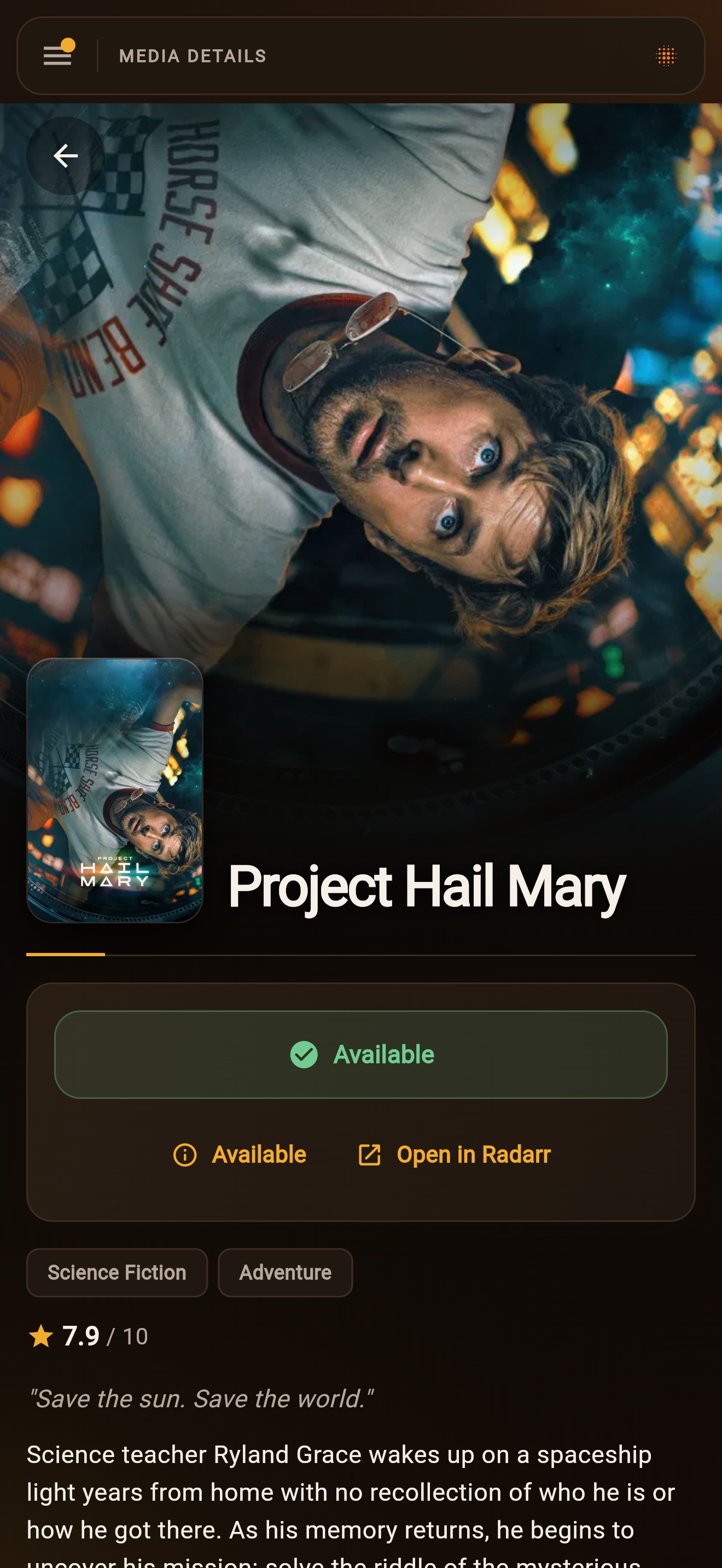

Find something
worth staying in for.
Find a title, explore what’s popular, or check upcoming releases. See what’s already available on your server before requesting it.
Browse the live demoNative apps for iPhone, iPad, and Android.
Media requests and server management. One app.
Discover movies, TV, books, and music, approve requests, and keep your downloads moving.
iOS is in App Store review. Try the iPhone and iPad beta on TestFlight. Android is available on Google Play.
Self-hosted. Open source. Free for your household.
A request has somewhere to go.
Everyone can see where it
stands.
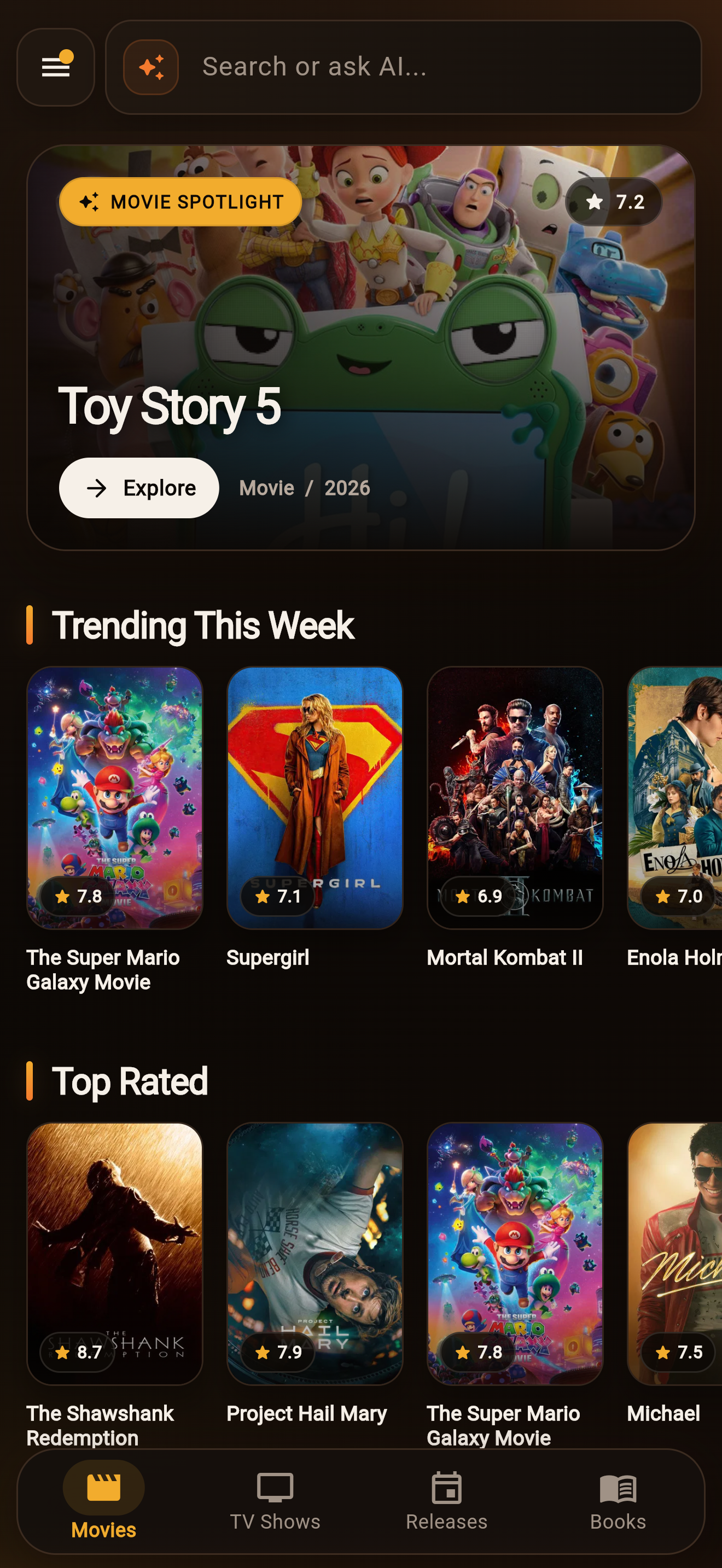
Find a title, explore what’s popular, or check upcoming releases. See what’s already available on your server before requesting it.
Browse the live demoRequest a whole title, or choose the seasons and formats you want. Cantinarr sends it to your connected media service using the settings you’ve chosen.
Choose which requests need approval, globally or per person. A push notification takes the admin straight to the approval.
Follow the download in the app and get a notification when it’s ready. Everyone can see whether a title is requested, downloading, or available.
The same app, with the controls each person needs.
Read the documentationManage Radarr and your download clients. Check queues, search for releases, and choose which requests need approval.
Manage Sonarr and open individual seasons and episodes without switching between service dashboards.
Choose the ebook, the audiobook, or both. Admins connect Chaptarr, then choose who can access it.
Request individual albums and see which titles you already own. Connect Lidarr and choose who can access your music service.
Import Doctor explains common problems such as sample files, unextracted archives, and incorrect permissions. Inspect the original service messages and review the available fixes.
Link your Plex account once and server invites are one tap, or fully automatic. Tautulli shows who’s watching, what’s transcoding, and watch stats by week, month, or quarter.
Install the Docker container, connect your media services, and invite your household. Use the iPhone or Android app, or open Cantinarr in your browser.
8585services:
cantinarr:
image: ghcr.io/windoze95/cantinarr:latest
ports:
- "8585:8585"
volumes:
- ./config:/config
environment:
# optional: push notifications
- CANTINARR_PUSH_GATEWAY_URL=https://push.cantinarr.com
restart: unless-stoppedBrowsing, requesting, and service management work without an AI provider.
Find media and make requests, or manage and troubleshoot connected services as an admin. Actions follow your access and enabled tools. Use your own provider or access shared by your admin.
The remediation agent investigates persistent download problems and proposes actions for review. Admins can allow specific fixes to run automatically and control which actions require approval.
Use Claude or another MCP client to access Cantinarr’s library and management tools. Sign in with your Cantinarr account and choose which tools are enabled in Settings.
Get Cantinarr on TestFlight for iPhone and iPad (beta) or Google Play for Android. iOS is in App Store review. Stand up the server with the compose file above, or try the demo first.
Connect the app to your own Cantinarr server.